
Request your free trial
I WANT IT!
BTC MASSA PRIME
Proprietary Automatic Order Execution Technology on M1 - Built for Traders Who Demand Excellence
Built with an institutional-grade market analysis algorithm, focused on BTC/USD M1. Intelligence that identifies and captures opportunities the way professional asset managers do, with automatic execution tested in real markets.
The software combines simple setup technology designed for those who want real performance without technical hassle. Getting started is very easy, just activate the software on your account and let it work automatically while you live your life.

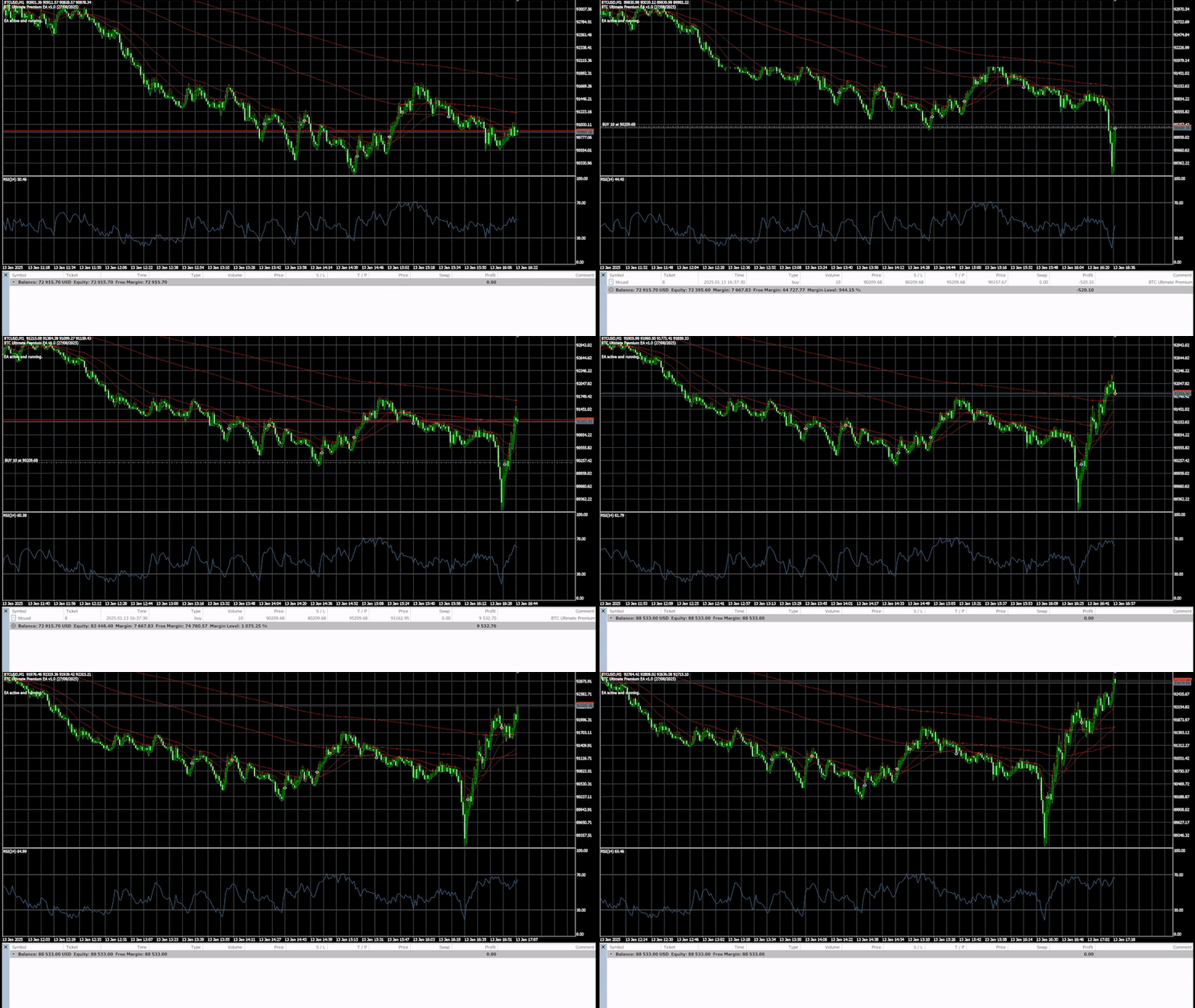
BTC Massa Prime was developed for seamless integration with MetaTrader, featuring straightforward setup and immediate execution while maintaining a professional standard from the very first use.
In a nutshell
STEP 1 - Select your plan.
STEP 2 - After subscribing, you will receive access instantly by email.
STEP 3 - Install the software and start trading.
Simple and fast. Start trading with the software in minutes.
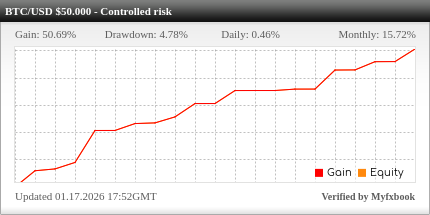
This is a demo account running on a VPS with the software since 10/20/2025.
Its purpose is to show real-time results.
The mode used on this account is: Safe Mode (as shown in our installation manual).
It's normal to feel hesitant about investing in higher-risk markets.
Many people have had frustrating experiences, believed in miracle promises, tested poorly designed software, or followed strategies that only led to losses and distrust.
But the problem isn't the market itself... it's the lack of transparency and real results.
That's why we decided to do things differently: allowing you to see the software in action, in real demo accounts, where you can track the performance with your own eyes, in your own account, before acquiring a license, with zero risk.
Run a test using the software in your demo account and see the results in real time.
Note: running the software on a live demo account in the financial market is the same as a real account, there is no difference. It's as if your real account were operating in the market. The profit generated in the live demo account would be the profit earned in your real account.
Request free trialNo credit card required
It's an automated system that executes trades in the market completely on its own, following pre-programmed rules and strategies with no emotional interference.
No. The installation is simple, and you receive step-by-step instructions to get started, even if you're a beginner in trading.
The BTC Massa Prime software trades exclusively on the BTC/USD pair in the 1-minute timeframe.
The software works with brokers compatible with MetaTrader 5. We recommend using reliable brokers with low spreads for better performance.
We recommend Tickmill. It's the broker we use and the one that delivered the best results among dozens we tested.
Tickmill does not accept U.S. residents. We always recommend checking the brokers regulated in your country of residence before opening an account
The minimum amount we recommend is from US$ 1.000.
No. If you want to trade manually, use a separate account - keep the account running the software exclusively for it to operate.
Hedged: allows multiple trades on the same asset.
Netting: allows only one position per asset.
Since the software opens only one trade at a time, it works well with either type of account.
There is no guarantee in the financial market. The software follows a tested and optimized strategy, but the results depend on market conditions.
If you run it on your own computer, yes. But you can also use a VPS server, which allows the software to run 24 hours a day even with your PC turned off.
We provide full support to help you set up and install the software on a VPS.
You only pay for the software license (annual or monthly subscription). There are no hidden fees. All profit generated by the software is yours.
Upgrades can be made at any time.
If your current plan is monthly, you can wait for the current month to end and then purchase the higher monthly plan.
If your current plan is annual, you can upgrade to a higher plan and get a discount as described below.
The amount you've already paid for your current plan is used as full credit, and you only pay the difference for the new plan.
When you upgrade, you automatically start a new 12-month cycle on the higher plan.
How plan upgrades work in practice:
If you decide to upgrade before your current cycle ends, you don't lose anything.
Here's how it works:
Suppose you're on the Start Plan, paid US$ 2.920,00, and have only 3 months left of the 12-month cycle
If you want to upgrade to a higher plan, you only pay the difference:
Price of the new plan - amount already paid on the current plan.
After paying the difference, you are automatically migrated to the new plan and receive a full 12-month cycle on the higher plan, even if there were only a few months left on your old plan
It's simple, fair, and straightforward:
You only pay the difference and get 12 renewed months on the new plan
A VPS (Virtual Private Server) is an online computer that stays on 24 hours a day.
With it, the software runs nonstop, without needing your personal computer.
The VPS keeps MetaTrader running with the software, executes trades automatically, and provides much more stability and security for your automated trading.