What Is a VPS?
VPS stands for Virtual Private Server. It is a virtual machine designed for trading, ideal for running trading software with greater stability and independence than shared hosting.
Unlike running trading software on your own computer, a VPS designed for trading helps avoid common issues such as an unstable internet connection, power outages, or unexpected computer restarts. These events can stop your local trading robot, while a VPS keeps the environment running and may automatically restart your software if the server encounters a problem.
When ordering a VPS, you can also choose a server location close to your broker's servers. Choosing a nearby region reduces response times and can improve order execution.
With a VPS running your software, you don't need to rely on your personal computer. Your software can run 24 hours a day, giving you greater peace of mind.
Which VPS Provider Should You Choose?
Choose a reliable VPS provider and review its available plans. Consider options with low latency to your broker and compatibility with MetaTrader or other trading software, depending on your needs.
When choosing a provider, consider the following:
- Resources: CPU, RAM, and storage.
- Location: choose a server close to your broker for better performance.
- Support: check whether the provider offers efficient and responsive technical support.
- Price: compare monthly costs and make sure the plan fits your budget.
Our Recommendation
At MassaTraders, we use and highly recommend ForexVPS.net. It is one of the most reliable options available, designed for professional traders and offering excellent value.
*The information below applies to ForexVPS.net VPS plans.
Choose the Right Plan
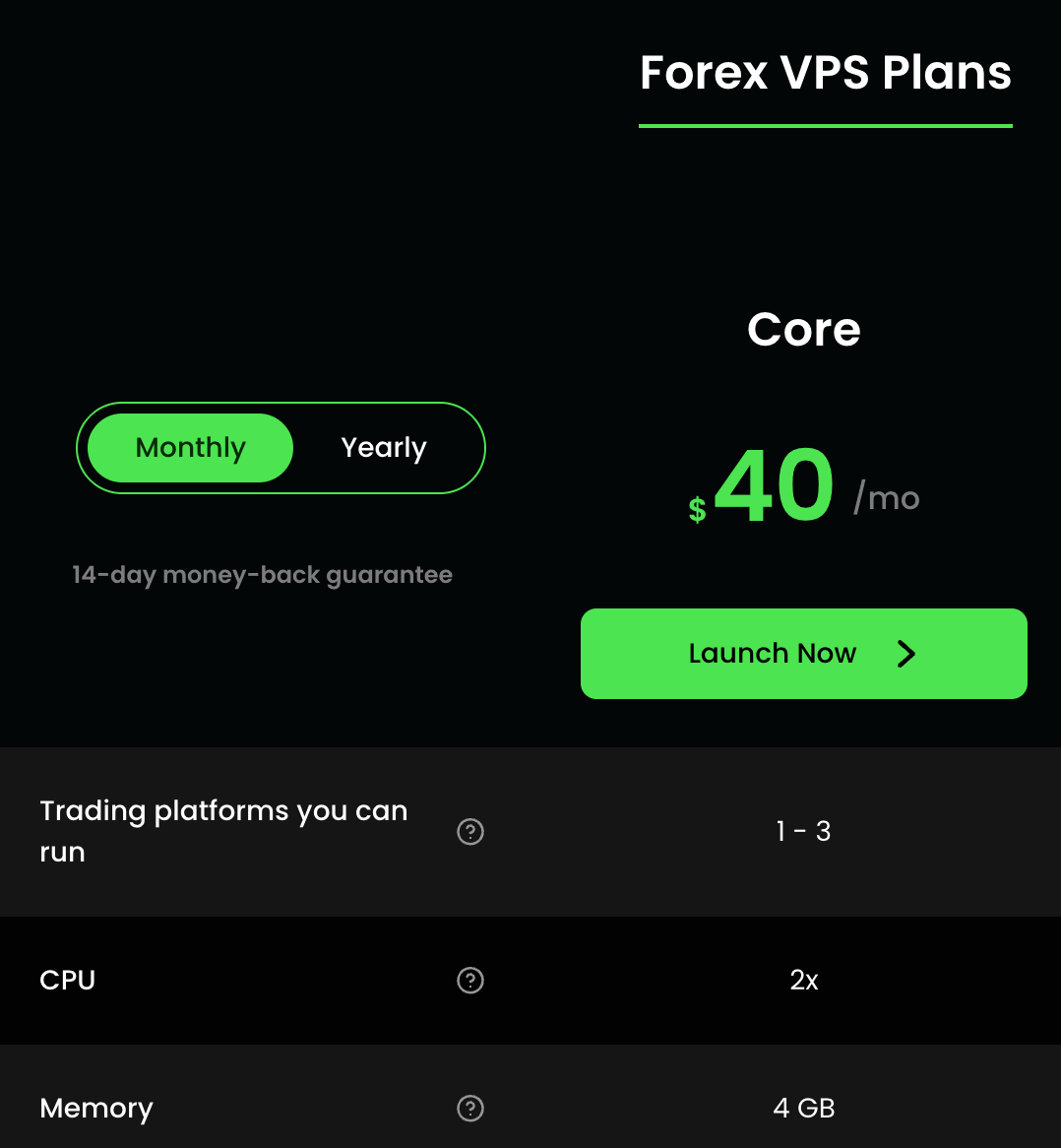
Choose a plan with enough resources for your software; CPU and RAM are the main considerations. The Core plan from ForexVPS is a good option for traders looking for stability and performance without paying for excessive resources.
This plan is suitable for most traders and meets the needs of most MassaTraders customers. It can run up to 10 MetaTrader 5 instances at the same time (although ForexVPS recommends running up to 3 simultaneously). MassaTraders software is designed to run efficiently, allowing multiple MetaTrader instances without using excessive memory or CPU.
Price
The Core plan from ForexVPS costs around US$40 per month and can be canceled at any time.
After Ordering Your VPS
After ordering your ForexVPS, you will receive an email with instructions and your VPS credentials. This email contains everything you need to access your VPS. You will need to install RDP software to connect remotely.
Look out for these instruction emails:
Subject: Welcome to ForexVPS
This email includes a step-by-step guide and video explaining how to access your VPS using RDP.
Subject: New Forex Virtual Server Information (VPS)
This email contains your login credentials.
Core Plan
This plan is suitable for most traders and meets the needs of most MassaTraders customers. It can run up to 10 MetaTrader 5 instances at the same time (although ForexVPS recommends running up to 3 simultaneously). MassaTraders software is designed to run efficiently, allowing multiple MetaTrader instances without using excessive memory or CPU.
On the basic ForexVPS plan, our MassaTraders team has successfully run 11 MetaTrader 5 instances with BTC Massa Prime simultaneously without slowing down trading. We do not recommend this setup: our team extensively optimized the VPS to handle that many instances. We mention it only to share what we have successfully tested.
Step 4: Set Up Your Access
After payment, you will receive your access credentials by email. Use the RDP client for Windows, or your preferred client, to connect to the VPS.
Step 5: Prepare the Environment
- Update the system: install the basic security updates.
- Install MetaTrader: or another compatible trading platform.
- Copy BTC Massa Prime: install our software on the VPS by following the tutorial in the left-hand menu.
Tip: Always keep backups of your files and connect remotely only over secure networks.
Support
If you have questions about ordering or setting up your VPS, contact MassaTraders Support at trades@massatraders.com.